TL;DR
The Polygon Bridge allows users to quickly transfer ERC tokens and NFTs to the Polygon sidechain. There are primarily two bridges on Polygon, the Proof of Stake (PoS) Bridge and the Plasma Bridge. Both can bridge assets from Ethereum to Polygon (and vice versa), but they adopt different security methods.
The PoS Bridge uses the Proof of Stake (PoS) consensus algorithm to secure its network. It supports the transfer of Ether (ETH) and most ERC tokens. It’s the recommended option for most users.
The Plasma Bridge is for devs that need increased security. It uses the Ethereum Plasma scaling solution and supports the transfer of MATIC, ETH, ERC-20, and ERC-721 tokens.
Introduction
With the number of blockchains rising in the crypto space, sharing data and tokens between different networks has been challenging. Some projects are tackling this problem by building bridges between networks to facilitate asset transfers.
The Polygon Bridge is designed to increase interoperability between the Polygon and Ethereum blockchains. With a compatible cryptocurrency wallet, users can easily transfer tokens back and forth.

What is the Polygon Bridge?
Polygon is a framework for creating Ethereum-compatible blockchain networks and scaling solutions. It aims to enrich the Ethereum ecosystem by providing tools to build scalable decentralized applications (DApps) and increase Ethereum's transaction throughput with lower fees. Some popular Decentralized Finance (DeFi) platforms have already been deployed on Polygon, such as Aave, Curve, and SushiSwap.
To interact with DApps and tools on Polygon, you need to transfer your assets to the Polygon network. This is where the Polygon Bridge comes in. The Polygon Bridge is a trustless cross-chain transaction channel between Polygon and Ethereum. It allows users to transfer ERC tokens and non-fungible tokens (NFTs) to the Polygon sidechain, all through the use of smart contracts.
How does the Polygon Bridge work?
The Polygon Bridge uses a dual-consensus architecture to optimize for speed and decentralization. It also supports arbitrary state transitions on sidechains, which are compatible with the Ethereum Virtual Machine (EVM). Cross-chain token transfers can be achieved instantly without third-party risks or market liquidity limitations.
When bridging tokens across the Polygon Bridge, there won't be any changes to the circulating supply of the token. Tokens that leave the Ethereum network are locked, and the same number of tokens will be minted on the Polygon network as pegged tokens on a 1:1 basis. When bridging the tokens back to Ethereum, the pegged tokens on Polygon will be burned, and those on Ethereum will be unlocked during the process.
There are two types of bridge on Polygon for asset transfer, the Proof of Stake (PoS) Bridge and the Plasma Bridge. The PoS Bridge, as the name suggests, adopts the Proof of Stake (PoS) consensus algorithm to secure its network. Deposits on the PoS Bridge are completed almost instantly, but withdrawals may take a while to confirm. The PoS Bridge supports the transfer of ether (ETH) and most ERC tokens.
On the other hand, the Plasma Bridge supports the transfer of Polygon's native token MATIC and certain Ethereum tokens (ETH, ERC-20, and ERC-721). It uses the Ethereum Plasma scaling solution to offer increased security. Please refer to the official documentation for more technical details.
How to bridge tokens from Ethereum to Polygon via the PoS Bridge?
To bridge tokens from Ethereum to Polygon, you need a compatible cryptocurrency wallet, such as MetaMask. If you don't have a MetaMask wallet, follow the steps in this tutorial to create one. You'll also need to download and install the MetaMask browser extension.
1. Log in to the Polygon Web Wallet by clicking [Polygon Bridge].

2. Next, you need to connect your crypto wallet. In this example, we will use Metamask.

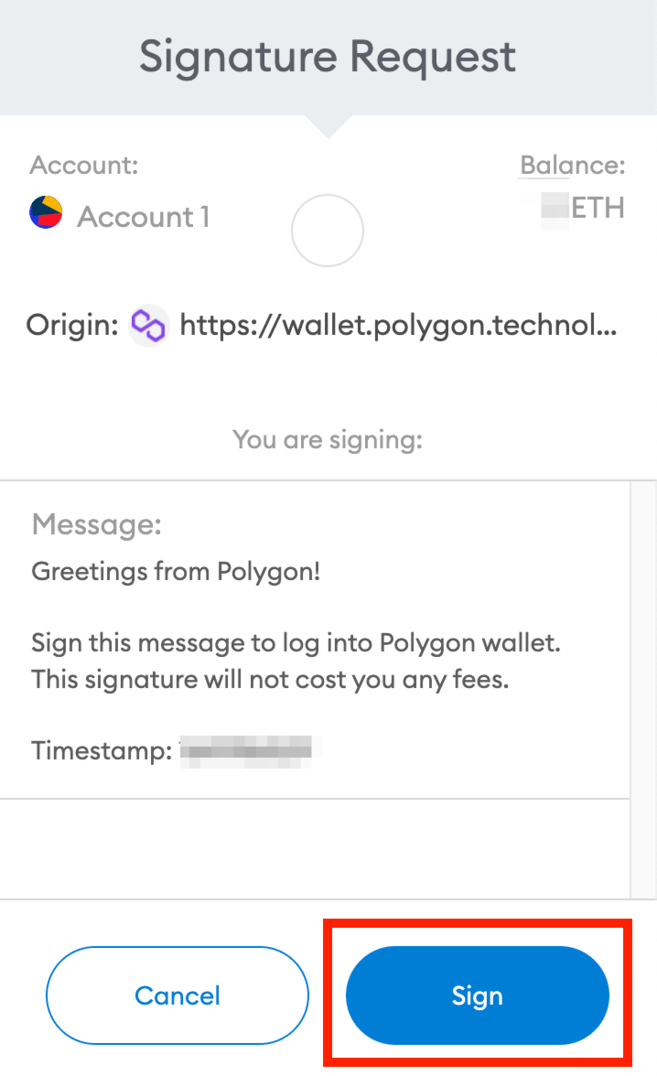
3. You'll be asked to sign a message to connect your MetaMask wallet to your Polygon wallet. This signature won't cost any fees. Double-check the URL to make sure you are on the correct website and click [Sign] to proceed.
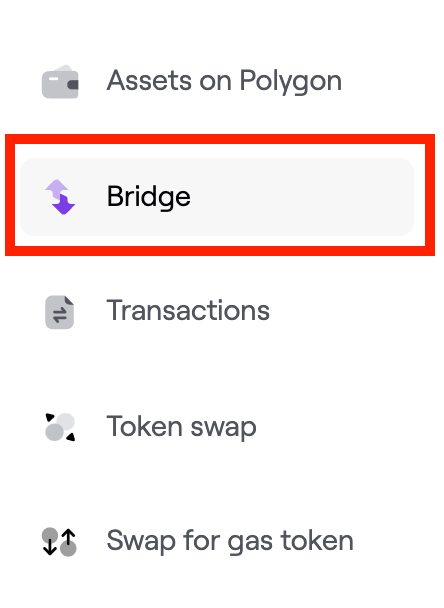
4. You should be redirected to the Polygon Bridge interface. If not, click [Bridge] on the left menu bar.
5. To send your tokens from the Ethereum mainnet to Polygon, go to the [Deposit] tab. Click on the token name to choose the token to bridge. In this example, we'll use ether (ETH). Enter the amount and click [Transfer].

6. Read the important notes and click [Continue] when you are ready.

7. You'll also see the estimated gas fee for this transaction. If you are ok with the gas costs, click [Continue] to proceed.

8. Review your transaction details, including the token amount and the estimated transaction fee, before clicking [Continue].
Note that the PoS bridge is secured by validators. If you decide to move funds back to the Ethereum network, it can take up to 3 hours.

9. You'll then be prompted to sign and approve the transfer in your MetaMask wallet. Check if the details are correct and click [Confirm].
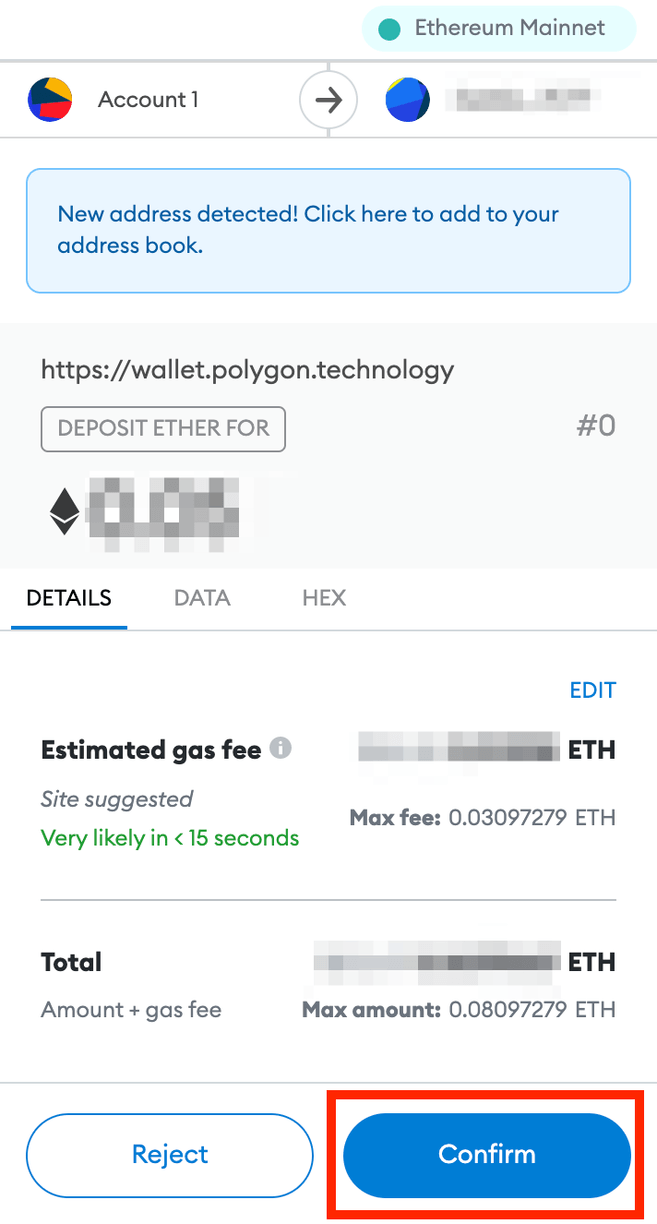
10. Once confirmed, wait for the tokens to arrive in your Polygon wallet. You may click [View on Etherscan] to check the transaction status.

How to bridge tokens from Polygon to Ethereum via the PoS Bridge?
You can also use the Polygon Bridge to transfer tokens from Polygon to Ethereum. Similarly, you'll need a compatible crypto wallet, such as MetaMask.
As mentioned, there are two bridges on the Polygon network: the Plasma Bridge and the PoS Bridge. The withdrawal time varies depending on which Polygon Bridge you're using. The PoS Bridge withdrawal usually takes from 45 minutes to 3 hours, while the Plasma Bridge can take up to 7 days.
Let's see how to transfer from Polygon to Ethereum via the PoS Bridge.
1. Click [Withdrawal] on the [Bridge] interface. Choose the tokens you want to transfer to the Ethereum network.

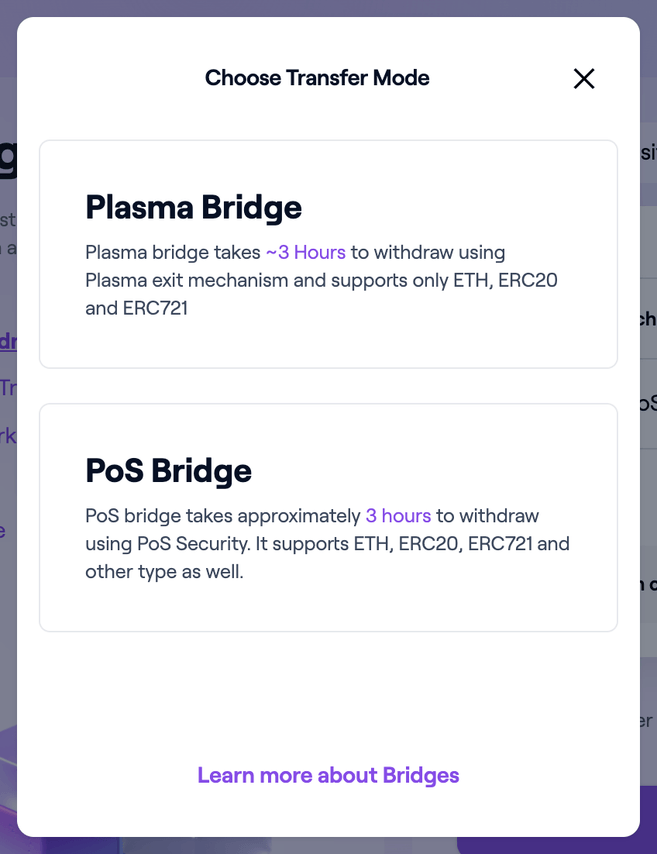
2. You'll probably notice there's a [SWITCH BRIDGE] button next to [Transfer Mode]. The platform will automatically select the compatible bridge for your transfer based on the token you choose.
The PoS Bridge is recommended for transferring tokens from Polygon to Ethereum. It supports the transfer of Ether (ETH) and other Ethereum tokens, including ERC-20, ERC-721, ERC-1155, and more.
3. After selecting the token, enter the amount you want to send and click [Transfer].

4. Read the important notes and click [Continue] when you are ready.

5. You'll also see the [Transfer Overview] pop-up with the estimated gas fee for this transaction. If you are ok with the gas costs, click [Continue] to proceed.
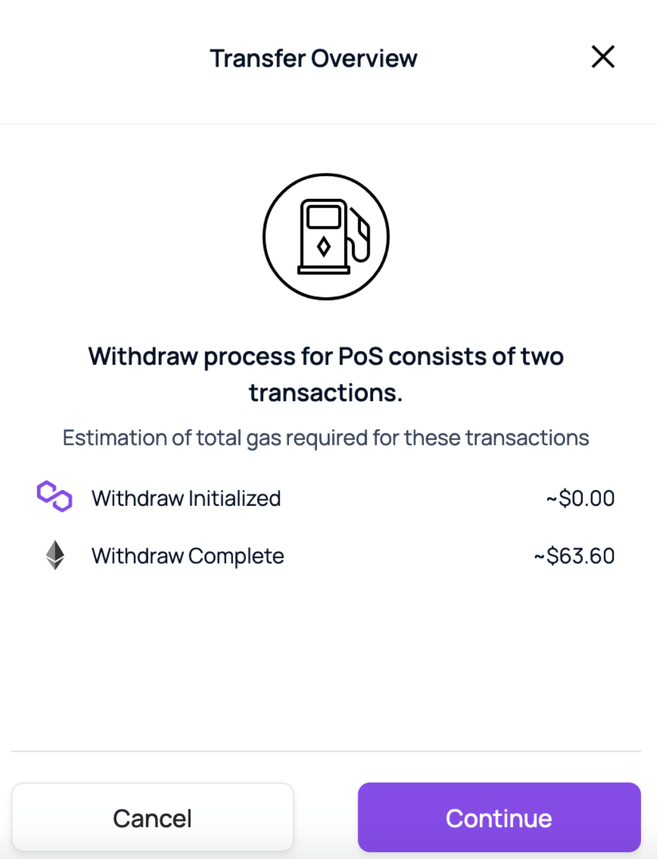
6. You can review your transaction details, including the token amount, the bridge you're using, and the estimated gas fee before you click [Continue].

7. You need to sign and approve the transfer in your MetaMask wallet. Check if the details are correct and click [Confirm].
Once confirmed, wait for the tokens to arrive in your Polygon wallet. You may click [View on Etherscan] to check the transaction status.
8. Next, you’ll see the transfer progress. Your withdrawal will be initiated on the network, and the PoS validators will verify your transaction. It might take up to 3 hours to complete, but there is no action required from you.
9. Once your transaction is validated, you need to claim the tokens to your MetaMask wallet. Click [Continue], and you can see the assets when the withdrawal is complete.

How to bridge tokens from Polygon to Ethereum via the Plasma Bridge?
If you wish to transfer MATIC or other Polygon tokens to Ethereum, you can do it via the Plasma Bridge. Note that the Plasma Bridge only supports the transfer of ERC-20 and ERC-721 tokens, which include ETH and MATIC.
In this example, we'll transfer MATIC tokens from Polygon to Ethereum using MetaMask. By default, the MetaMask wallet is only connected to the Ethereum mainnet. You need to add the Polygon network to your wallet before you can view your MATIC and start the process.
Step 1: Adding Polygon to MetaMask
There are two methods to add the Polygon network to your MetaMask wallet. The default method is to add it manually (see How to Add Polygon to MetaMask). However, you can also use the Polygon Wallet interface to quickly add Polygon to the network list of your MetaMask.
1. To do so, click the [Switch to Polygon] button on the top. Make sure that you've already connected your MetaMask wallet.

2. You'll see a pop-up from your MetaMask extension with the Polygon network details. Click [Approve].

3. Done. The Polygon network has been added to your MetaMask. Now, you need to switch your MetaMask from the Ethereum Mainnet to the Polygon network. You can do so by clicking [Switch network].
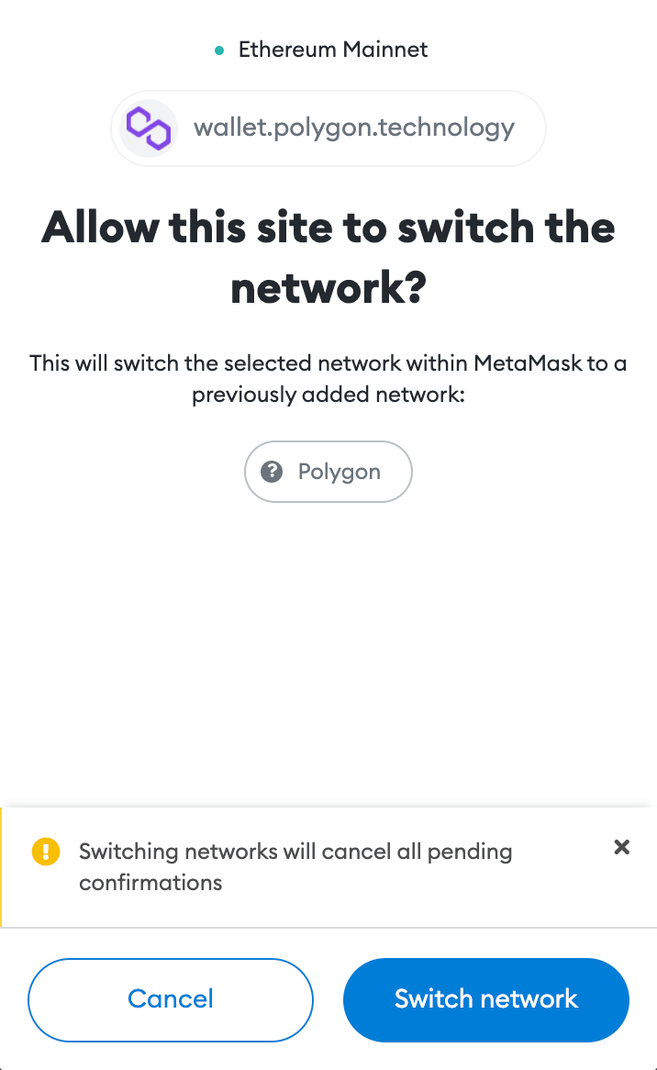
4. You can now see MATIC in your MetaMask wallet.

Step 2: Bridging MATIC to Ethereum using MetaMask
1. Go to the [Bridge] interface and click [Withdrawal]. Choose [Matic Token] from the token list, enter the amount and click [Transfer].
The system will automatically select [Plasma Bridge] for the transfer mode.

2. Read the important notes and click [Continue] when you are ready.

3. You'll also see the estimated gas fee for this transaction. If you are ok with the gas costs, click [Continue] to proceed.

4. Review your transaction details before clicking [Continue].
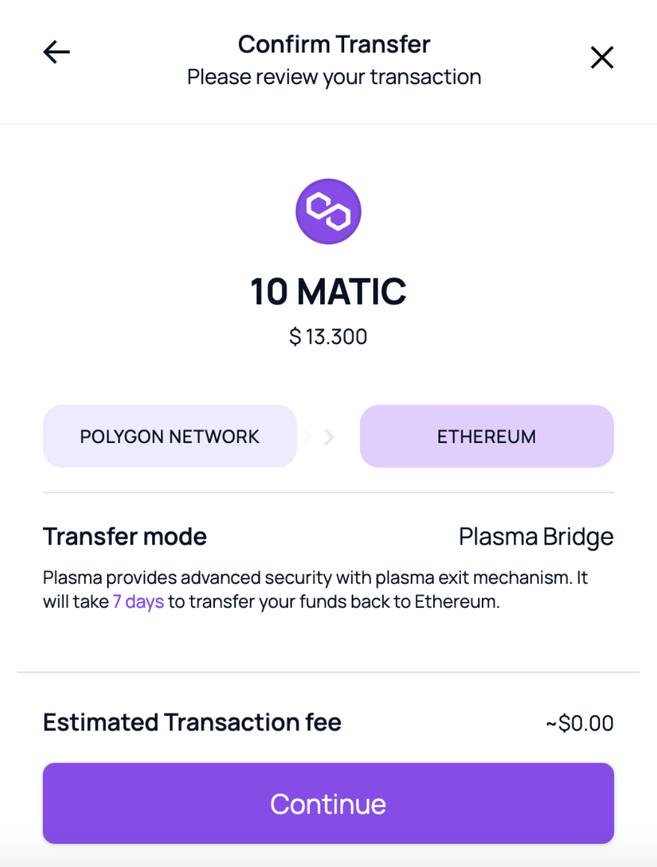
5. A MetaMask pop-up will appear for you to confirm the transaction. Click [Confirm], and you'll see the transfer in progress.
You need to manually confirm three transactions for a Plasma Bridge transfer. The first one is to initiate your withdrawal from the Polygon wallet, which could take up to 3 hours.

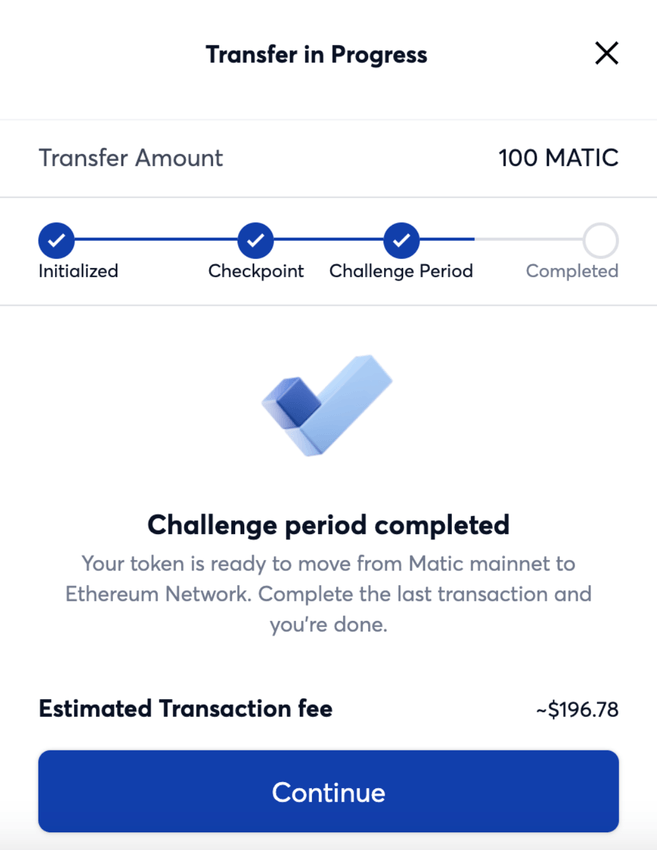
6. Once the checkpoint arrives, it means that your transaction is validated on the Ethereum blockchain. You need to confirm a second transaction to start the challenge period. This is a measure to offer increased security for withdrawal transactions.
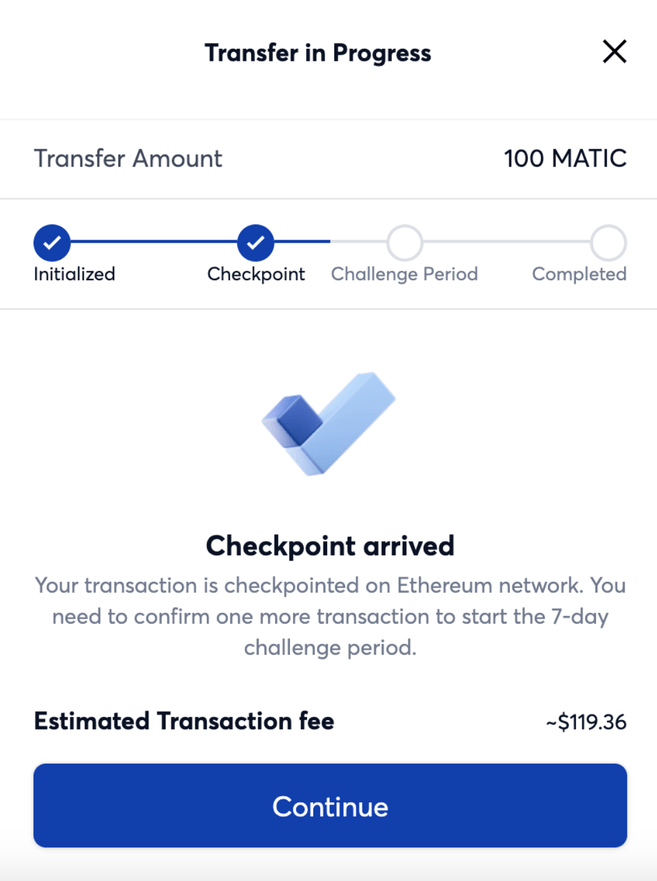
7. After the challenge period, all you need to do is click [Continue] to send the MATIC tokens to your MetaMask wallet.

Closing thoughts
The interoperability of the Polygon Bridge enables users to transfer their assets between Ethereum and Polygon blockchains. The Polygon Bridge offers an alternative to users looking to experience different DeFi platforms and DApps available on the Polygon network.